Our CEO's Own Product

Routines: The Second Brain Our CEO Built for Himself

Routines is the second brain Eduard Lupacescu, our CEO, built for himself: an AI assistant that records his meetings, runs his mornings from plain-English routines, and keeps everything as markdown files on his Mac. It grew into a product with an iPhone and Apple Watch app, a Telegram bot, a personal Slack assistant, and team workspaces behind getroutines.ai.

Client #0

Eduard runs his company days on it: meetings, strategy, and the knowledge base

Understanding the problem

The Challenge

Built by Eduard Lupacescu, CEO at BinarCode
Reachable from Mac, iPhone, Watch, Telegram, Slack, web
Core stack Rust, Swift, React, Laravel

Routines did not start as a company roadmap item. Eduard Lupacescu, BinarCode’s CEO, wanted a second brain for himself: something to brainstorm with, a second version of himself that sits through every meeting, keeps the strategy thread, and can be reached from whatever device is closest. The tools he tried each covered a slice, and none of them kept his notes in files he owns.

So he wrote the brief he would want as a user. Meetings transcribed as they happen, even with no network. Dictation into any app from a hotkey. Automations written in plain English instead of a workflow builder. And one hard rule: notes, transcripts, and routine outputs are markdown files in folders on his Mac, readable in any editor, so nothing is ever locked in.

Technically that meant three products in one: a native macOS app, a web platform, and an AI engine orchestrating models, audio pipelines, and connectors. Then it kept growing: an iPhone app, an Apple Watch app, a Telegram bot, a personal Slack assistant, and team workspaces. Eduard drove it as its first and harshest user, and BinarCode shipped it with the same discipline it ships client work.
How We Built It

The Process

Four tracks, one shipping cadence: the native shell, the audio and meetings pipeline, the routines engine, and the Laravel platform that ties it together.

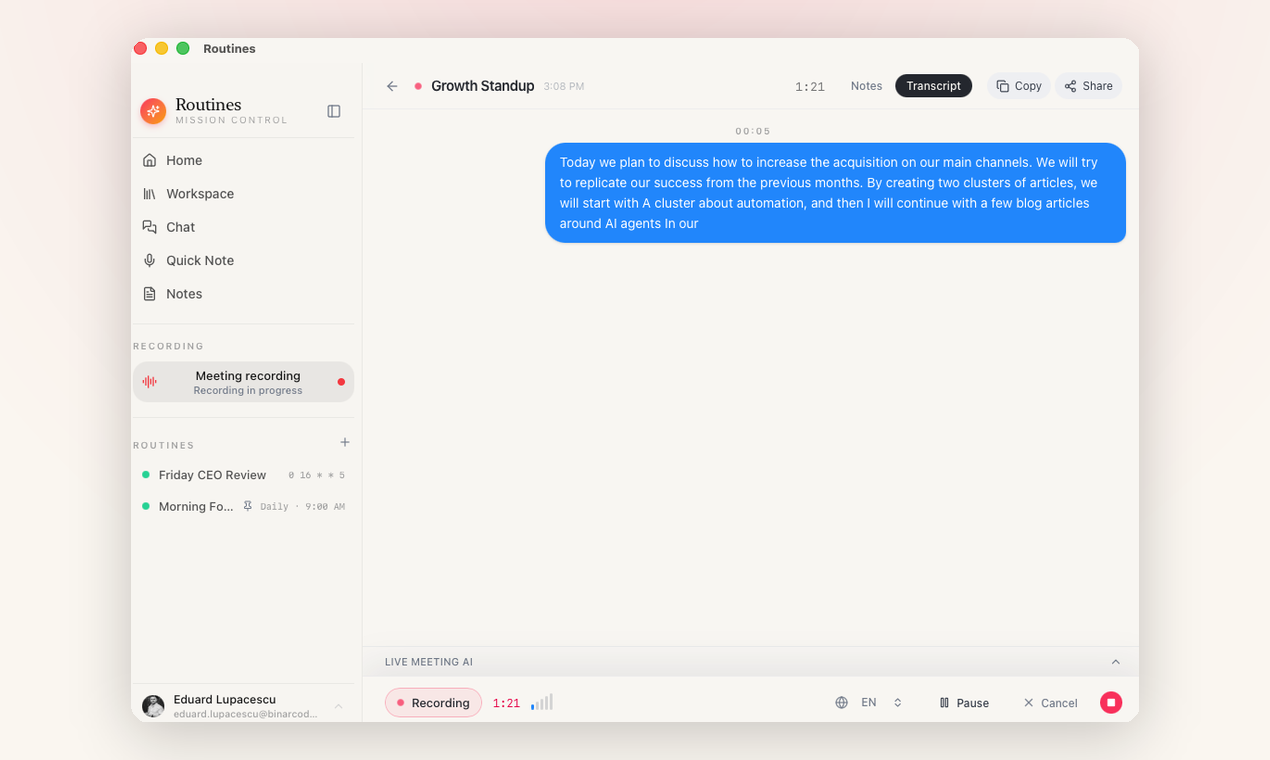
A live meeting being recorded in Routines, with the transcript appearing in real time

Phase 2

Meeting Notes That Survive Bad Wi-Fi

Meetings are recorded and transcribed as they happen, then summarized into markdown notes with action items. Transcription runs on the Mac itself and works offline, and users who want higher accuracy can plug in their own Deepgram key. Storing notes as files instead of database rows moved the cost onto us: search and sync are built on a Rust file watcher rather than coming free with a database. In exchange, a meeting captured on a plane reads the same as one captured at the office.

Transcription Works Offline

AI Engineering · Audio Pipeline

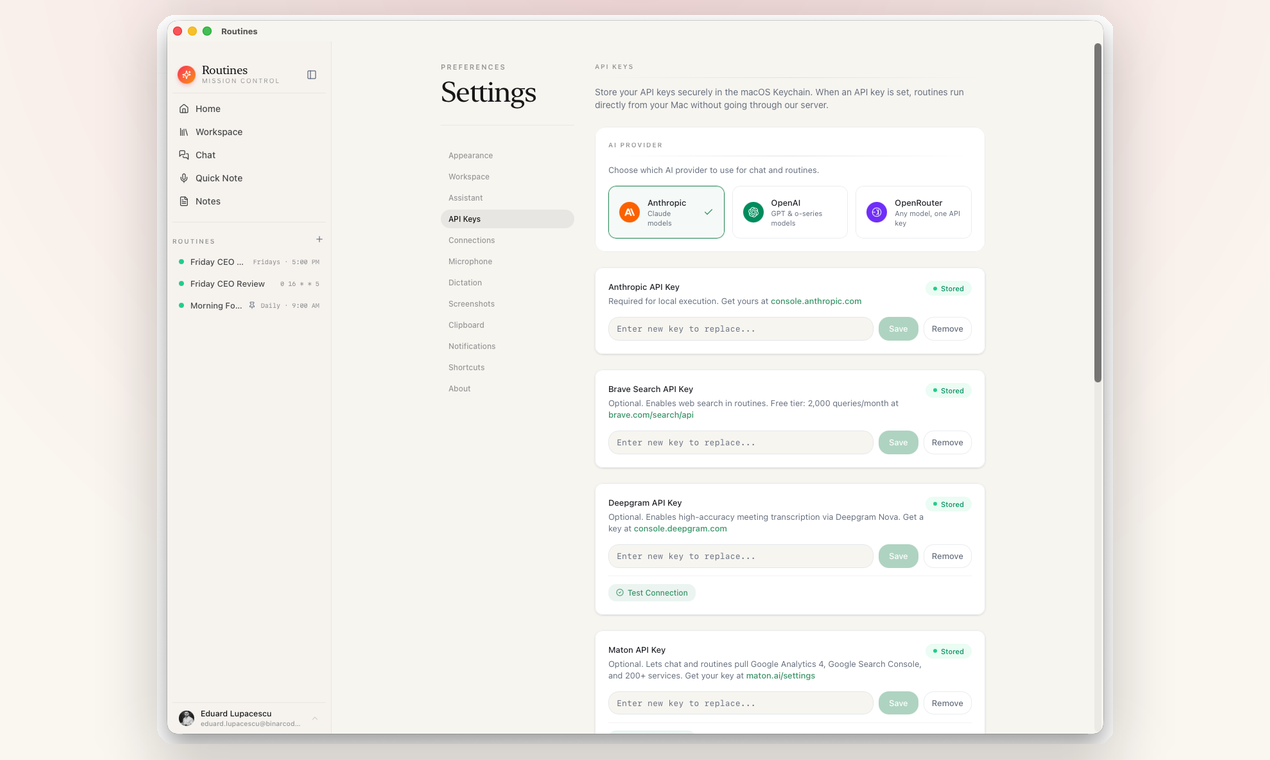
Routines settings screen for API keys, stored in the macOS Keychain, with Anthropic, OpenAI, and OpenRouter providers

Phase 4

Bring Your Own Key, and the Platform Behind It

The user pastes their own Anthropic, OpenAI, or OpenRouter key into settings, it is stored in the macOS Keychain, and the Mac calls the model directly. That decision gives up recurring AI margin on our side, and it means no cloud bill and no per-minute cost sits between the user and their assistant. getroutines.ai, a Laravel and Inertia application, handles the rest: downloads, licensing, team sync, and shared links for meetings and routine outputs.

BYO Key Laravel + Inertia

Full-Stack · Platform

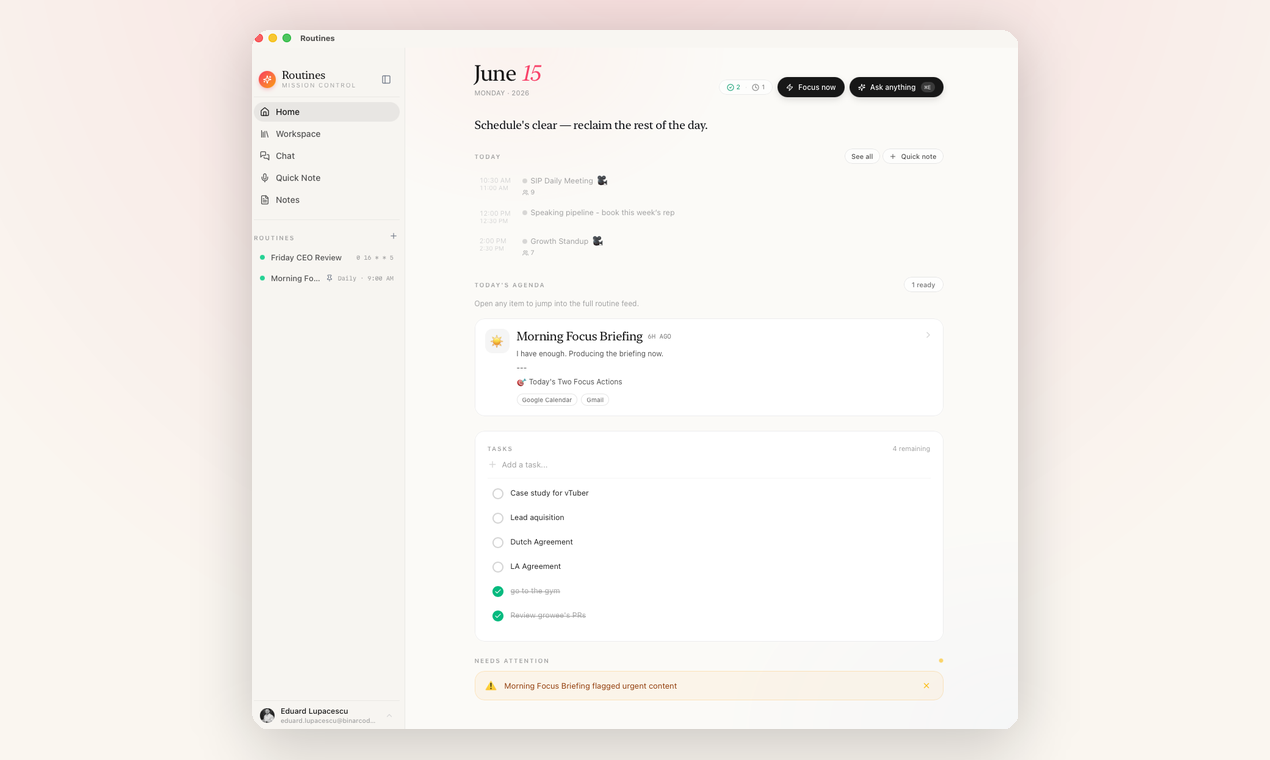
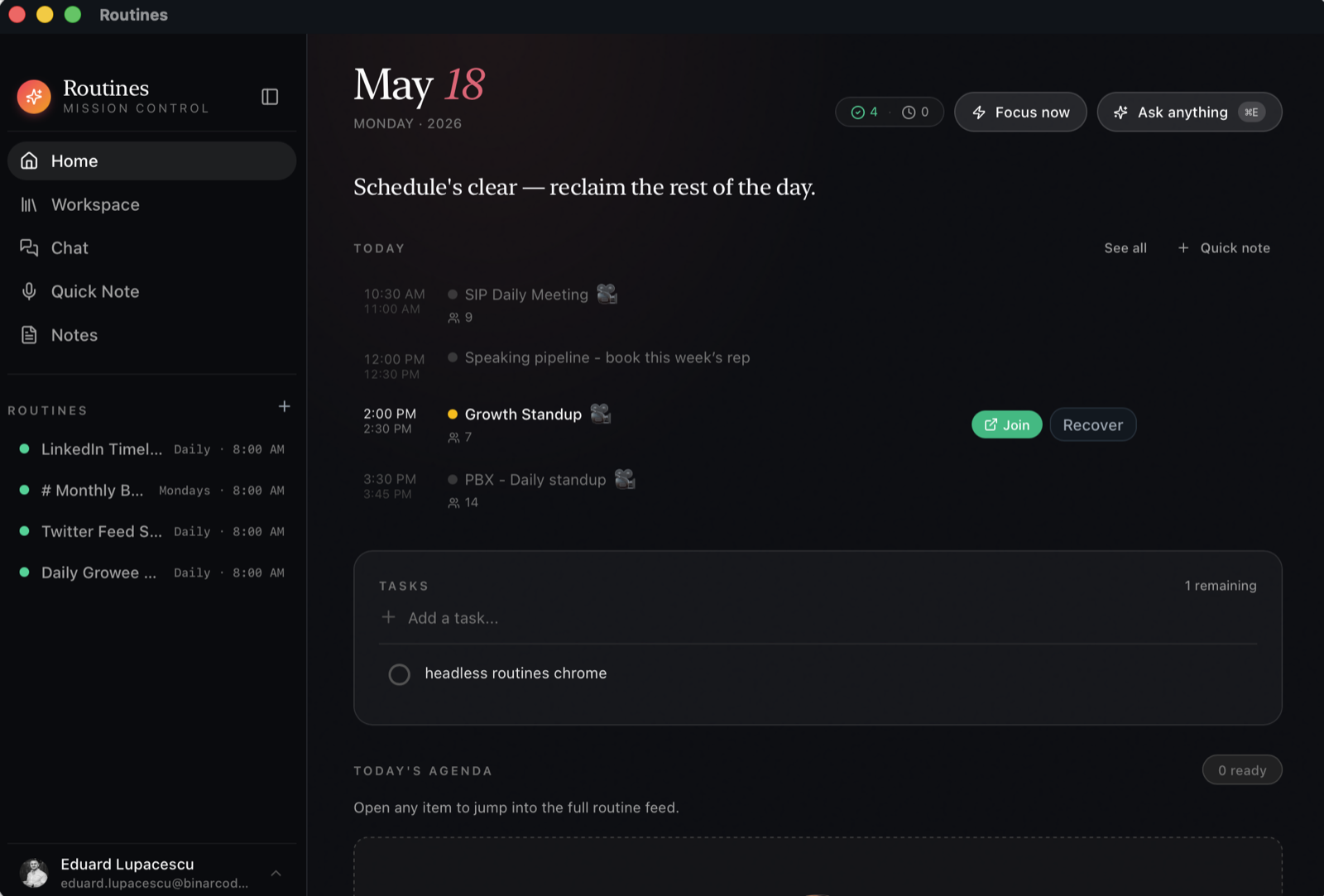
Routines home screen on macOS showing the day’s meetings, tasks, and scheduled routines

Phase 1

A Native macOS Shell with Tauri and Rust

We built the desktop app on Tauri, chosen over a bundled-browser shell because the app lives in the menu bar all day and has to stay light. The Rust core owns the system side, global hotkeys, audio capture, file watching, and local storage as native calls instead of a bridge, while a React interface renders the day view, notes, and chat. The result installs as a normal signed macOS app.

Tauri Rust + React

Desktop Engineering · macOS

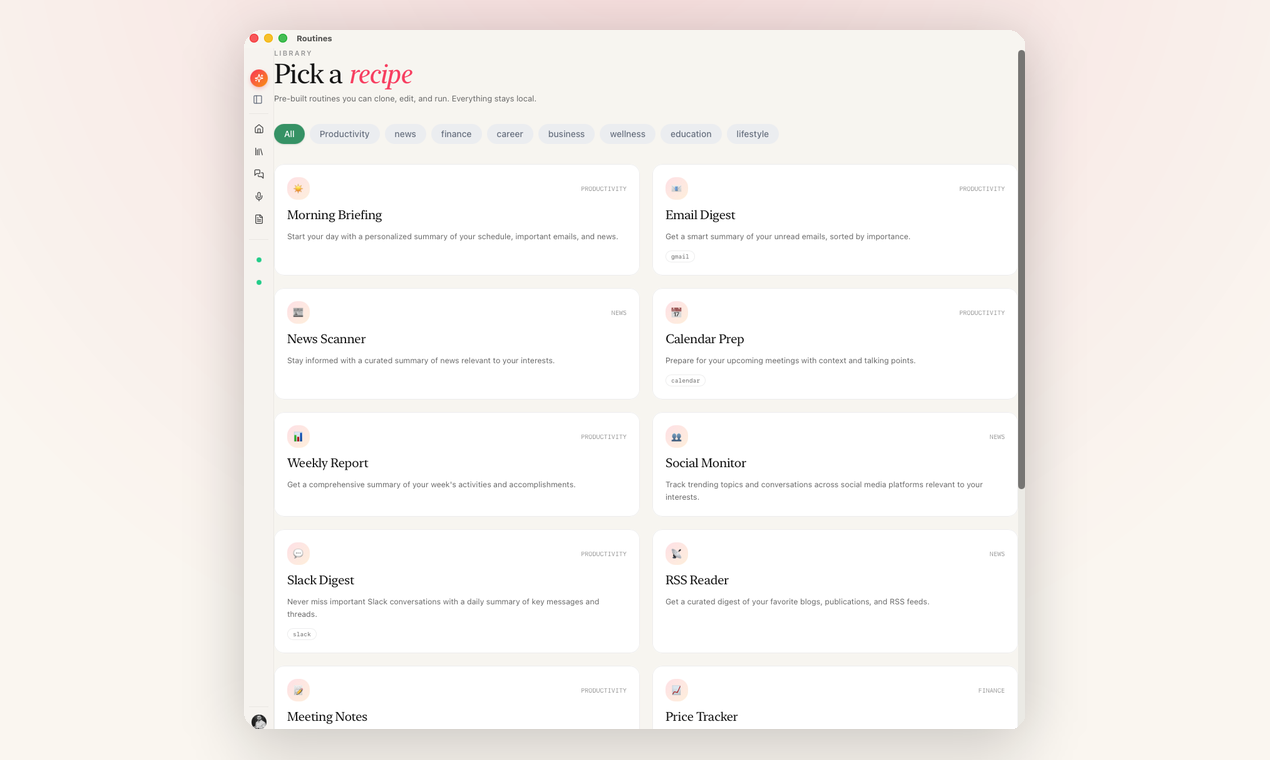
The Routines recipe library with pre-built automations like Morning Briefing, Email Digest, and Calendar Prep

Phase 3

Plain-English Automations, on a Schedule

The routines engine takes an instruction like "every morning, summarize my inbox and calendar" and turns it into a scheduled job that calls the user’s connected services and writes the result back as a note. Connectors cover Gmail, Google Calendar, Slack, and Jira, and an MCP layer lets the assistant reach any service that speaks the protocol. Eduard’s own Morning Focus Briefing runs this way: it reads his calendar and inbox and opens the day with two focus actions.

Scheduled AI MCP Connectors

AI Engineering · Integrations

Scope & Deliverables

What We Did

  • Native macOS app built with Tauri: Rust core, React interface, signed and notarized
  • iPhone and Apple Watch companion apps: meeting capture, quick notes, and todos from the wrist
  • Meeting recording and transcription with an offline path, summarized into markdown notes
  • Hotkey dictation that types into any macOS app
  • Plain-English scheduled routines with Gmail, Google Calendar, Slack, and Jira connectors, plus MCP support
  • Telegram bot and a personal Slack assistant, each answering from the user’s own Mac and key
  • Team workspaces on getroutines.ai: shared folders per department, per-member MCP tokens

A Personal Product, Shipped Like Client Work

Routines is personal software with a company behind it. Eduard named it, sketched the first screens, and still runs his days on it: the morning briefing, meeting notes, todos on the watch, the same memory answering from Telegram and Slack. He runs it all day, so when something felt slow or wrong it got fixed that week, and the consumer polish came from that loop.

The team side turns the same files into a company knowledge base. In a getroutines.ai team workspace each department contributes to its own folders, sales call notes next to delivery docs, and every member’s assistant reads exactly the folders that member was granted. Per-member MCP tokens let the rest of the tool stack query the same memory. The work also transfers as code: the Rust audio pipeline, the MCP connector layer, and the signing and notarization path now go into client projects instead of being learned on a client budget.

Technologies & Services

Our Tech Stack

A native stack on every screen: Tauri with a Rust core and a React interface on the Mac, Swift on iPhone and Apple Watch, Laravel with Inertia on the web, and model-agnostic AI. Users bring their own Anthropic, OpenAI, or OpenRouter key, stored in the macOS Keychain.

  • Tauri
  • Rust
  • Swift
  • TypeScript
  • Inertia
React React
Laravel Laravel
Anthropic Anthropic
OpenAI OpenAI

Product Design

A calm, native-feeling interface with full light and dark themes, designed to be lived in daily.

AI Engineering

Transcription, summarization, scheduled agent runs, and MCP connectors orchestrated behind one assistant.

Desktop, Mobile & Platform Engineering

Rust and React on the Mac, Swift on iPhone and Watch, Laravel on the web, one shipping cadence.

Beyond the Mac

A Second Brain on Every Screen

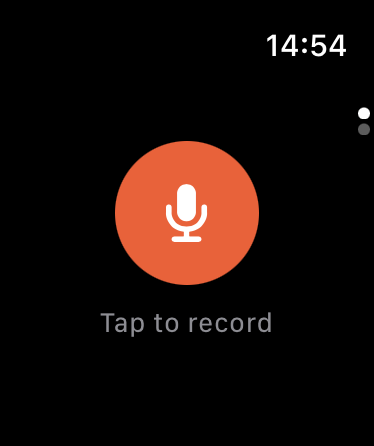
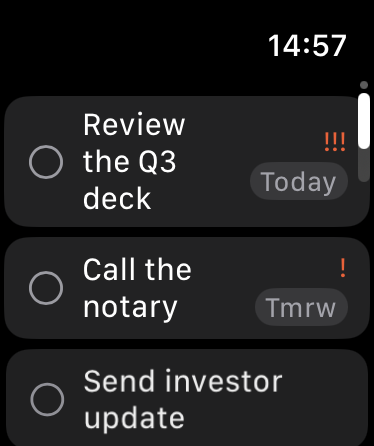
The same brain follows Eduard out of the office. The iPhone app records meetings on the go and shows the notes his Mac already wrote, and the Apple Watch takes a voice note from the wrist and keeps the todo list one glance away.

Telegram covers the moments in between: he messages his paired bot, it answers from his email, calendar, and memory, and anything it wants to send or change waits for his approval first.

Slack works the same way for the whole team. Each member creates their own Slack app from a manifest Routines generates, so the assistant answering in their DMs is theirs alone, running on their own Mac with their own key.

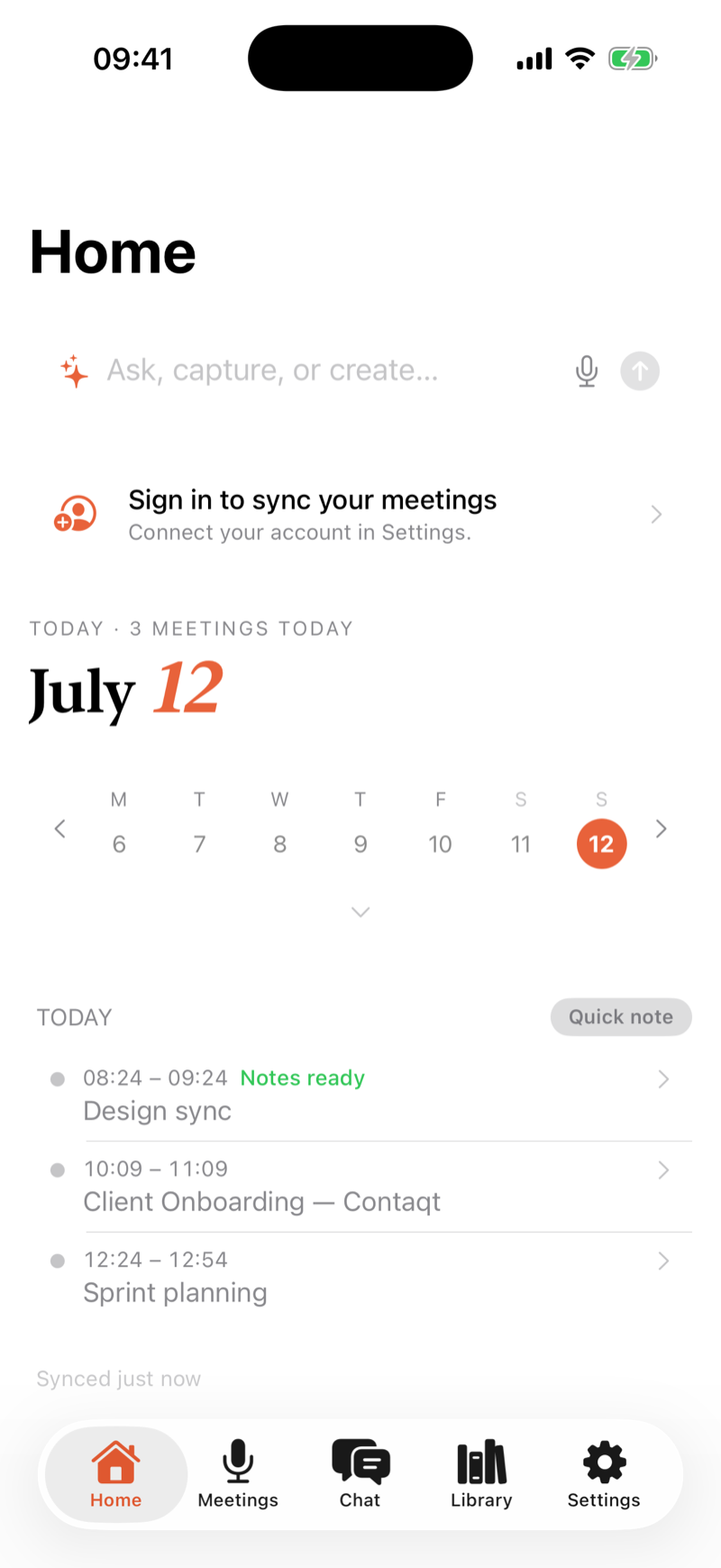
Routines on iPhone: the day's meetings and the ask, capture, or create bar
Routines on Apple Watch: tap to record a voice note The todo list on Apple Watch
The Product

Routines Today

Routines is public: a signed macOS app you can download and run before you ever talk to us. Notes, transcripts, and routine outputs land as markdown files in folders on the user's Mac, open in any editor, and meeting capture keeps working offline.

To see one capability in depth, start with Routines meeting notes, the feature where the whole architecture shows up at once: audio capture in Rust, transcription with an offline path, and summaries written straight to markdown.

The MCP layer that lets Routines reach any compatible service is the same capability we build for clients as MCP server development.

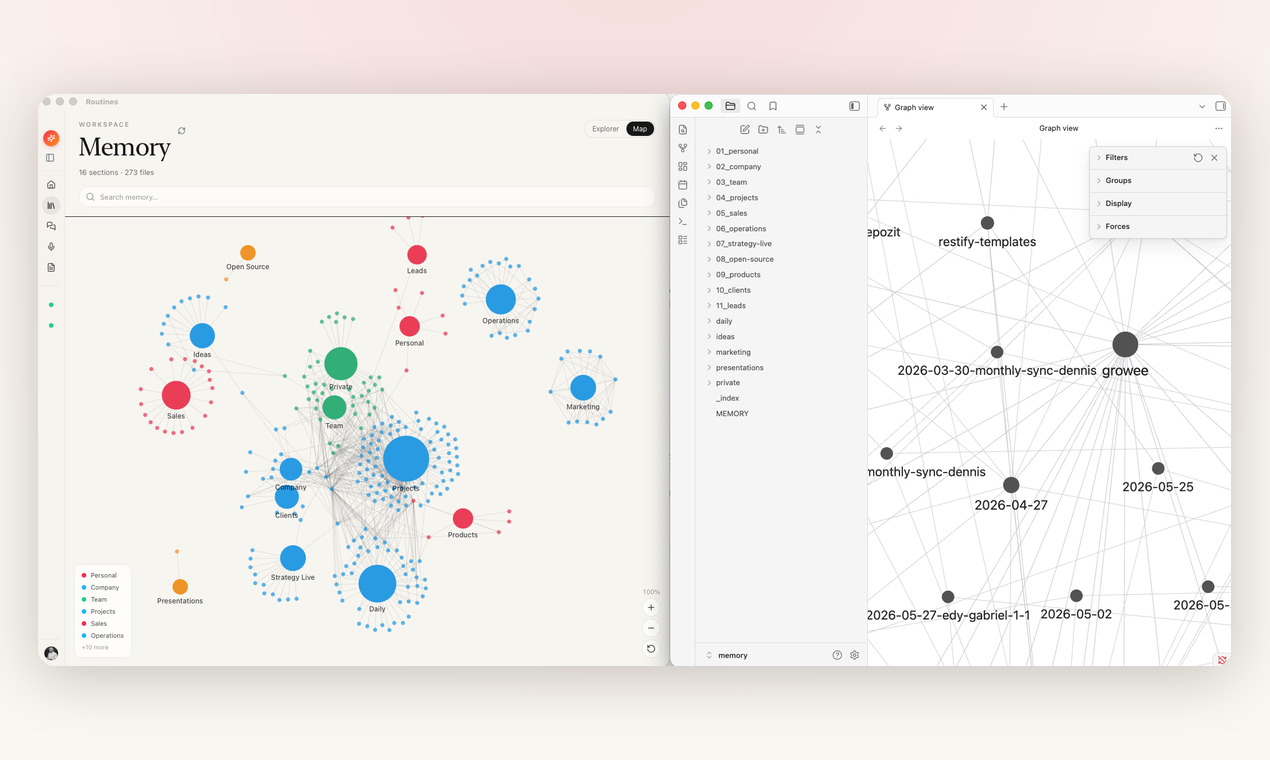
The Routines memory workspace as a folder graph, with the same markdown notes open in another editor
What Shipped

The Results

Routines went from Eduard’s personal setup to a public, downloadable macOS product with recurring releases, and inside BinarCode it became the company knowledge base. For prospective clients it is the clearest proof of range we have: naming, design, native engineering on three Apple platforms, a web platform, and AI orchestration, shipped with the polish that consumer distribution demands.

Public Signed, notarized macOS build on a public download page
6 Ways to reach it: Mac, iPhone, Apple Watch, Telegram, Slack, and the web
Offline Meeting transcription that keeps working with the network down
4 Connectors shipped: Gmail, Google Calendar, Slack, and Jira, plus any MCP server

Want a product built to this standard?

We build AI products for clients with the same team that builds our own. Bring the idea and we will show you what shipping it actually takes.